Просмотр новости
Найдите то, что Вас интересует
 Спутники
 РН
РН SpaceX
 Роскосмос
 NASA
NASA
СпутникиРНSpaceXРоскосмосNASAWordPress 7.1 was released on August 19. Soon after, some sites running WP Rocket encountered a fatal error. The problem wasn’t discovered on release day. It had been reported publicly on July 6, while WordPress 7.1 was still in alpha. The report included reproduction steps, identified the source of the error, and proposed a one-line […]
WordPress 7.1 was released on August 19. Soon after, some sites running WP Rocket encountered a fatal error.
The problem wasn’t discovered on release day. It had been reported publicly on July 6, while WordPress 7.1 was still in alpha.
The report included reproduction steps, identified the source of the error, and proposed a one-line fix. Then… more than six weeks passed.
— Andrew Hoyer (@andrewhoyer) August 19, 2026This one shocks me. A very popular plugin—how could WordPress 7.1 have multiple beta and release candidates and never hit on this one?
It's a sign to me that I should be more involved in testing. In the past I was watching and testing frequently, and I need to get back to it. https://t.co/ouyoUopwdn
July 6, 2026
The fatal error was reported publicly with reproduction steps, the source of the problem, and a proposed one-line fix.
July 15, 2026
WordPress 7.1 Beta 1 was released, beginning the public beta-testing period.
August 5, 2026
WordPress 7.1 entered release-candidate testing. The compatibility issue was still unresolved.
August 19, 2026
WordPress 7.1 was released. Sites with affected WP Rocket configurations began encountering the fatal error.
August 20, 2026
WP Rocket 3.23.2.2 shipped the fix, 45 days after the original report.
During that period, WordPress 7.1 moved through four beta releases and four release candidates according to the release schedule. WP Rocket also shipped four plugin updates before the compatibility fix arrived.
That timeline raises a fair question about what WordPress site owners should expect from the plugins they depend on.
— WP Rocket ™ (@wp_rocket) August 20, 2026To all @wp_rocket users: we've identified a compatibility issue with WordPress 7.1 that can cause a fatal error on your site. We're working on a fix! We suggest not updating to WordPress 7.1 until it's released.
Please contact us if you are already affected so we can help you to…
Bugs happen in every software project, including ours. Reports against an alpha release can be incomplete, limited to one environment, or affected by changes before the final release. Plugin maintainers have to investigate and prioritize them carefully.
This report was unusually specific. It identified the exact function receiving the wrong data type, provided steps to reproduce the fatal error, and included a proposed fix.
There was also time to test it. WordPress 7.1’s public release cycle included beta releases beginning July 15 and release candidates beginning August 5.
WordPress 7.1 Release Candidate 1 is now available for testing. The final release is scheduled for August 19, 2026. Test it in a safe environment and report any issues. https://t.co/8C0Aryr1gz
— WordPress (@WordPress) August 5, 2026
Performance plugins work deep inside WordPress. They change how pages are cached, scripts are loaded, CSS is delivered, and assets are served. That makes compatibility work especially important.
A faster site isn’t much help if a normal WordPress update can take it offline.
This wasn’t a disclosed security vulnerability. It was a compatibility failure that affected site availability in certain configurations. That distinction matters technically, but the result for an affected site owner was still serious.
How Jetpack handles serious security reportsThe WP Rocket issue wasn’t reported as a security vulnerability, so it wouldn’t be accurate to compare it directly with an exploit. Our security policies are still a useful example of the standard we’ve set for handling serious reports.
Jetpack has a public security policy and participates in Automattic’s HackerOne bug bounty program. Internally, our process covers reports received through HackerOne, GitHub, and our own internal Automattic teams.

No policy makes a software team perfect. It does make the expectations clear. A credible report needs an owner, a severity decision, a release path, and follow-through.
This is a good time to review your performance setupWordPress performance setups tend to grow over time. A caching plugin gets added first. Then comes image optimization, a CDN, script deferral, Critical CSS, and another tool to measure the results.
Eventually, several plugins can be changing the same parts of a site.
If you’re using WP Rocket primarily for caching and front-end optimization, Jetpack Boost covers many of those same jobs:
These features can be enabled individually, which makes it easier to understand what each change is doing. The free version includes page caching, manual Critical CSS generation, JavaScript deferral, Image CDN, and CSS and JavaScript concatenation.
Don’t want everything Jetpack has to offer? No problem. Jetpack Boost is also a separate plugin. You don’t need to install the main Jetpack plugin to use it.
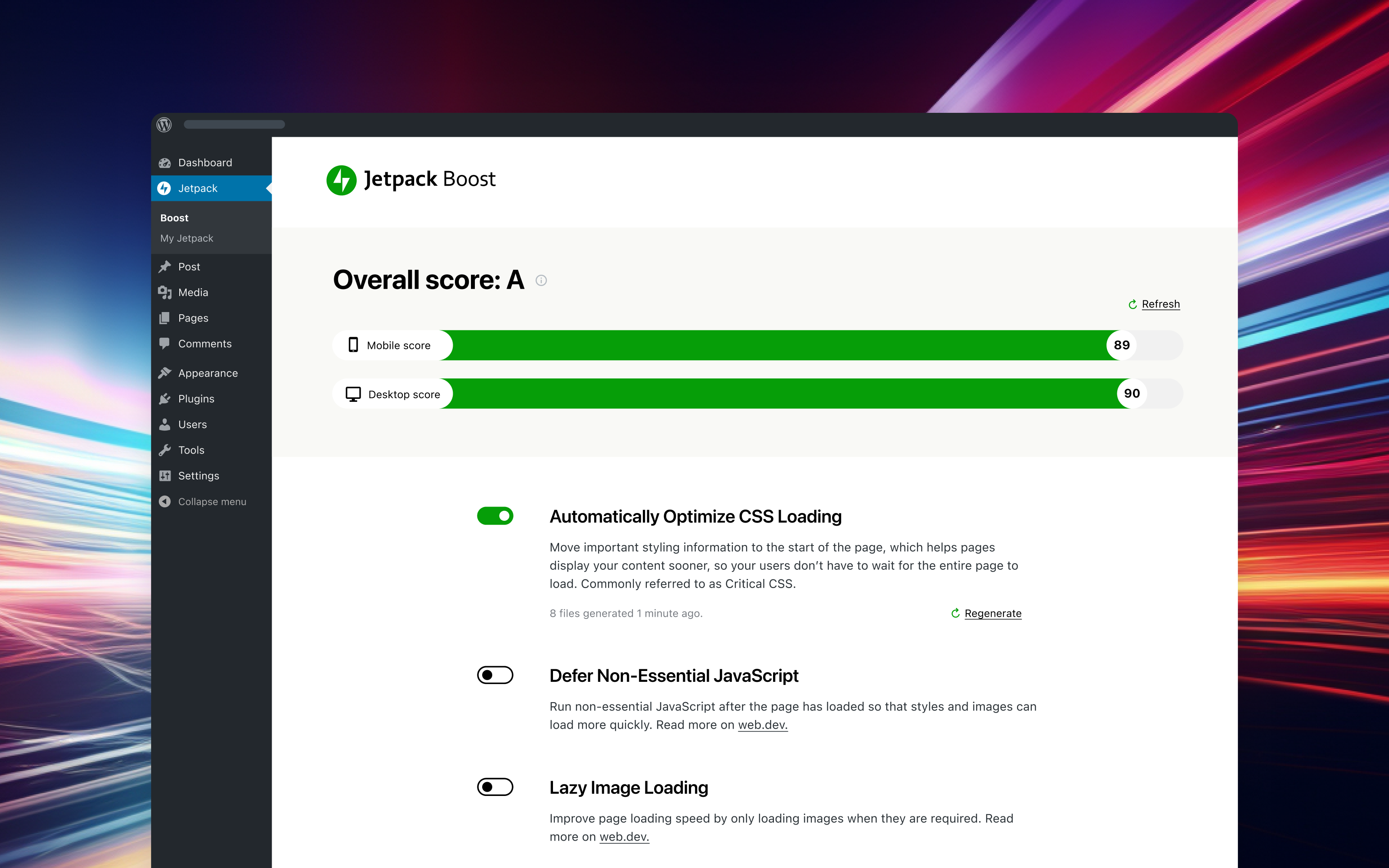 How to switch from WP Rocket to Jetpack Boost
Before changing performance plugins, back up your site or test the change on a staging site.
If your site is already affected by the WordPress 7.1 fatal error, update WP Rocket to version 3.23.2.2 first. Once the site is working again:
Avoid enabling the same optimization in multiple plugins. Two tools trying to defer the same JavaScript or manage the same cache can create new compatibility problems.
Every WordPress site is different, so measure the result instead of assuming every optimization will help.
Plugin updates require trustSite owners depend on plugin teams to follow WordPress development, test upcoming releases, and investigate credible compatibility reports before those releases reach production.
The WP Rocket issue isn’t about expecting software to be bug-free. It’s about what happens after a serious problem has already been reported and the proposed fix is known.
If this incident has you reconsidering WP Rocket, Jetpack Boost gives you a practical path to simplify your performance setup while keeping the optimizations your site needs.

Crafting Jetpack @Automattic, Creator of @GiveWP, WordPress enthusiast, #WordCamp speaker, mediocre golfer, post-rock obsessed cat lover and aspiring world traveler.
Learn how Jetpack can help you protect, speed up, and grow your WordPress site.
Comments are closed for this article, but we're still here to help! Visit the support forum and we'll be happy to answer any questions.
| # | Наименование новости | Тональность | Информативность | Дата публикации |
|---|---|---|---|---|
| 1 | Jetpack 16.1.3: Critical Security Update | 0 | 9.07 | 02-09-2026 |
| 2 | Disruption with some GitHub services | 0 | 11.39 | 26-08-2026 |
| 3 | Comment on DEV: What a Wonderful WordPress by JWebDev | 0 | 7.3 | 06-10-2026 |
| 4 | The new Jetpack.com, one month in | 0 | 7.42 | 02-10-2026 |
| 5 | Incident with Pull Requests | 0 | 10.44 | 20-09-2026 |
| 6 | Elevated rate of errors for OpenAI models provided by Copilot | 0 | 11.54 | 31-08-2026 |
| 7 | Linux 7.3-rc5 Released: "Another Week, Another Large RC" | 0 | 12.39 | 27-09-2026 |
| 8 | WordPress-Lücke nur Stunden nach Patch attackiert | 0 | 13.45 | 25-09-2026 |
| 9 | Two new search experiences in Jetpack Search | 0 | 10.39 | 25-05-2026 |
| 10 | В iOS нашли убивающую iPhone ошибку | 0 | 10 | 28-09-2026 |