Просмотр новости
Найдите то, что Вас интересует
 Спутники
 РН
РН SpaceX
 Роскосмос
 NASA
NASA
СпутникиРНSpaceXРоскосмосNASAFind the best free YouTube downloaders for 2024 and save your favorite videos with ease. Choose the perfect match for you today!
The post The Best Free YouTube Downloaders For 2024 appeared first on ThinkComputers.org.
Ever felt overwhelmed trying to save a YouTube video? There’s good news for 2024. This guide will share the best free YouTube downloaders available, making it easy to choose the right one for you.
Keep reading to find your perfect match!
Understanding YouTube Downloaders
So, you’re curious about YouTube downloaders, huh? Well, these nifty tools let you grab your favorite videos from YouTube to watch offline. Whether it’s a laugh-out-loud clip or a step-by-step tutorial, with the right downloader, you’re all set—just make sure to keep it legal and respect copyright rules!
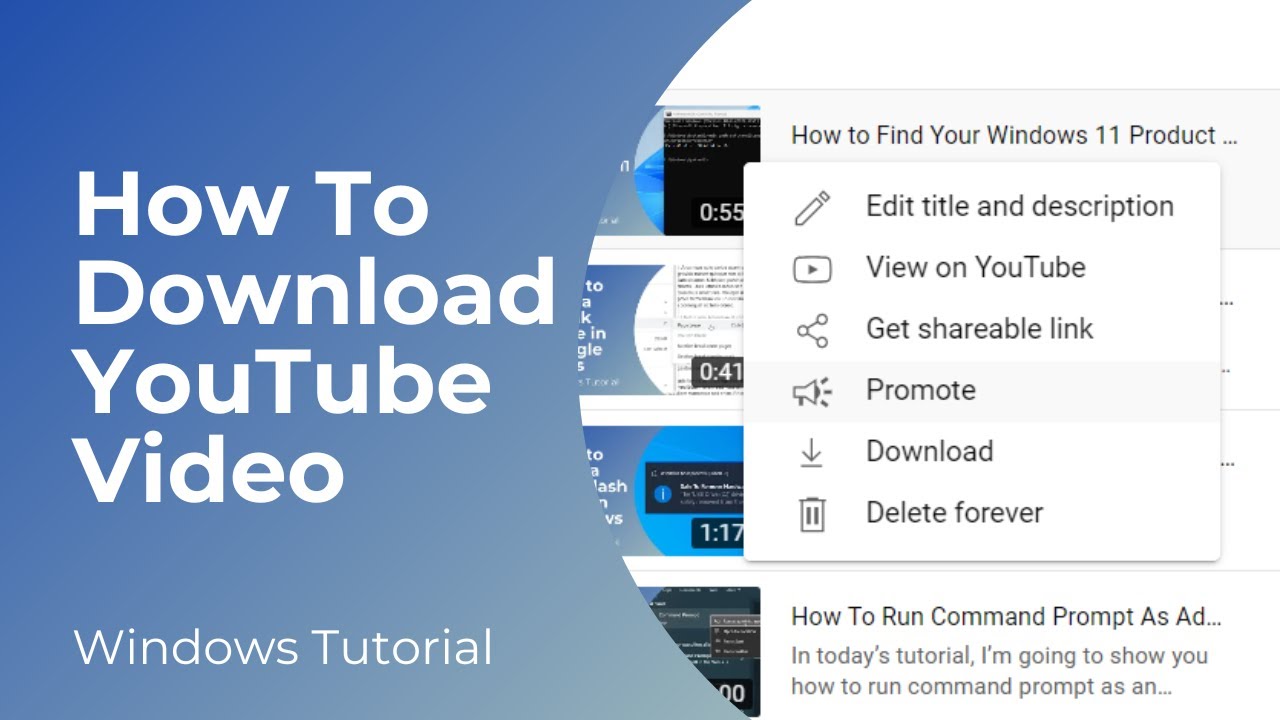
A YouTube downloader is a tool that lets people save YouTube videos to their devices. Users can keep these videos to watch them without internet or use them in other ways. These downloaders come as software for computers or online services.
They work by taking the link of a YouTube video and downloading it, so you have your own copy. Some downloaders are free, but others might cost money if you want extra features.
These tools can handle different video qualities, from standard definition to 4K resolution. They also let users convert videos into various file types like MP3 or MP4, depending on what they need the video for.
With many options out there, each offering something unique, picking the right one depends on things like how easy it is to use and how fast it downloads videos.
Now let’s see what we need to think about before downloading these videos..
Legal considerations for downloading YouTube videosDownloading YouTube videos can get you into hot water if you’re not careful. The rules say it’s a no-go to download without permission. Sites like SaveFrom.net even shut down in the US and UK because of these legal headaches, though they still run in other places with a VPN.
It’s all about respecting copyright laws and YouTube’s own terms of service. If you ignore these, you could face some serious consequences.
Always double-check the legal stuff before hitting that download button. YouTube sets clear boundaries on what is okay and what isn’t when saving videos offline. You might think grabbing that catchy tune or cool tutorial for personal use is fine, but it’s best to play it safe and look up YouTube’s official terms first.
After all, staying within the lines means enjoying your favorite clips worry-free.
Online vs. Desktop YouTube DownloadersSo, moving on from the tricky waters of legal considerations, let’s get into the nitty-gritty of choosing between online and desktop YouTube downloaders. It’s quite the debate, isn’t it? Some swear by the convenience of online tools, while others wouldn’t trade their desktop apps for the world. Let’s break down the differences in a way that even my grandma could get excited about (and, trust me, she’s more into knitting than tech).
| Aspect | Online YouTube Downloaders | Desktop YouTube Downloaders |
|---|---|---|
| Installation | No need to download software. Just hop onto the website, and you’re good to go. | Requires downloading and installing software on your computer. |
| Internet Connection | Must be connected to the internet to access and download videos. | Once the software is installed, some allow for downloading without an internet connection. |
| Speed and Performance | Dependent on website traffic and your internet speed. Can be slow during peak times. | Generally faster as it utilizes your computer’s resources. Plus, no waiting in line behind other internet users. |
| Features and Flexibility | Often limited to basic downloading capabilities. You get what you pay (or don’t pay) for. | More features like batch downloads, format conversion, and higher resolution options. |
| Safety and Security | Risks of malware or unwanted software since you’re using a website that might not be secure. | As long as you download from a reputable source, it’s generally safer and updates frequently fix security flaws. |
| Convenience | Great for quick, one-off downloads when you’re not on your usual device. | Ideal for regular users who need more control over their downloads and prefer not to rely on internet access. |
Okay, now that we’ve laid out the basics in this nifty table, it kind of makes you see things differently, right? It’s like choosing between ordering fast food or cooking a gourmet meal at home. Sure, the online downloader gets you a quick fix, but the desktop app? It’s the whole nine yards, giving you control, speed, and a treasure chest of features. Yet, let’s not forget that with great power (ahem, desktop downloaders) comes great responsibility (keeping things legal, folks). Remember, it’s all about picking what suits your needs and keeping your internet adventures on the straight and narrow.
4K Video Downloader
So, you’re curious about 4K Video Downloader? Cool, let me give you the scoop. This buddy lets you grab videos in super clear quality – just like grabbing a soda from the fridge, easy and quick!
Features (4K Video Downloader)4K Video Downloader is a free tool that lets you grab videos from YouTube without leaving a watermark. It works on Windows, macOS, and Linux — pretty cool, right? This software has some nifty features like downloading whole playlists, grabbing 3D and 360-degree videos, and the best part? No sneaky extra software gets bundled in during the install.
That means no unwanted surprises on your computer.
The option to download entire playlists or just one video gives you flexibility. Plus, supporting those awesome 3D and 360-degree videos lets you bring the future of video into your home today.
Now let’s move on to how easy it is to actually download videos with this handy tool.
Downloading process with 4K Video DownloaderGetting videos from YouTube can be quick and easy, especially with the 4K Video Downloader. This app lets you save your favorite clips in high quality, even up to 8K resolution. Here’s how to do it:
And there you have it! Just wait a bit, and soon enough, you’ll find your favorite video sitting right in your chosen folder, ready to watch anytime—even without internet access.
Now that we’ve gone through how easy downloading with 4K Video Downloader is, let’s take a closer look at another fantastic free downloader—Any Video Converter Free.
Any Video Converter Free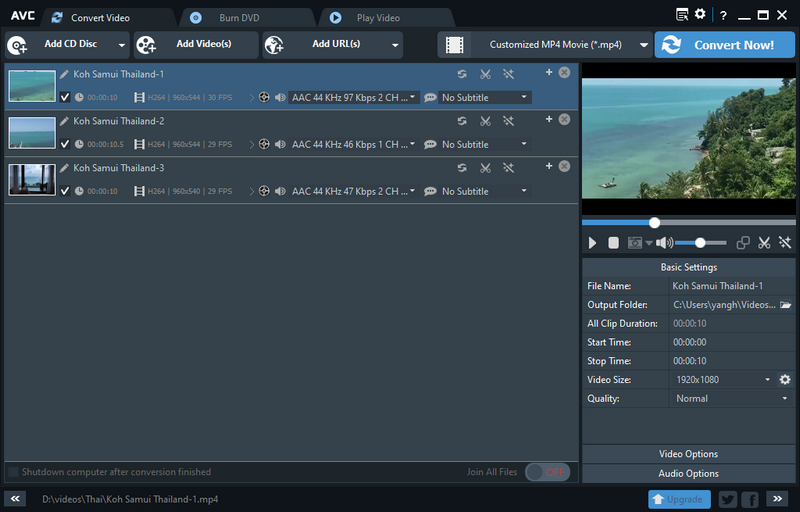
So, you’re hunting for a way to grab your favorite YouTube videos and keep them forever? “Any Video Converter Free” has got your back, folks. This nifty tool is like a Swiss Army knife for video tasks – not just downloading but converting too.
Yep, prepare to clear some space on your device because you’re about to go on a downloading spree!
Features (Any Video Converter Free)Any Video Converter Free is a top pick for grabbing and changing those YouTube videos into formats you love. It’s like a Swiss Army knife for your video needs – supporting heaps of file types to make sure no one gets left behind.
Think of it as your go-to when you want those YouTube clips saved just right, whether it’s for watching later without Wi-Fi or sharing with friends who missed out.
What makes this tool stand out? Well, aside from turning videos from one format to another, it throws in some pretty neat editing tools. Yes, you heard that right! You can trim down the long stuff, add some cool effects, or tweak the brightness on those not-so-great lighting days before showing off your finds.
Plus, downloading playlists becomes a breeze – goodbye manual downloads of each video! And let’s not forget about its ability to handle 3D and 360-degree videos; it’s practically begging to amp up your viewing experience.
Downloading process with Any Video Converter FreeDownloading from YouTube with Any Video Converter Free is like taking a walk in the park—easy and relaxing. This tool shines bright among free YouTube downloaders, thanks to its knack for handling various formats and editing videos to perfection. Here’s how you get from a YouTube video to having it on your device:
With these steps, grabbing videos off YouTube doesn’t just sound easy; it really is as simple as pie—making Any Video Converter Free a true gem for your downloading needs.
Free YouTube Download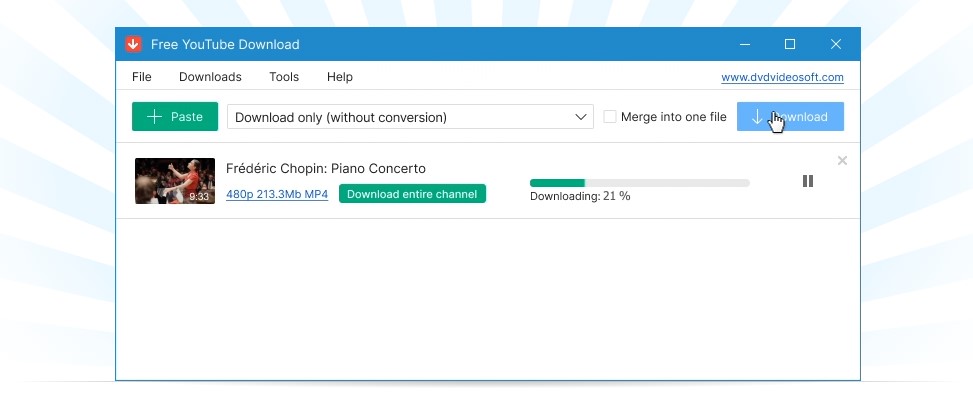
Oh, “Free YouTube Download” — it’s like finding a treasure in the vast sea of the internet. Simple to use and gets your favorite videos onto your device without fuss.
Features (Free YouTube Download)Free YouTube Download stands out for its easy and straight-to-the-point approach. You get cool tools like auto download, which grabs videos as you find them, and batch downloading to save lots of videos at once.
Plus, it can change video formats in a snap – super handy if you need a specific type for your device or app.
This downloader keeps things simple but powerful. You don’t need to be a tech wizard to use it. Just copy the link of your favorite YouTube video, paste it into the program, and hit download.
Voila! Your video is ready to watch anytime, even without the internet. It’s perfect for keeping your favorite clips on hand or building up a playlist for those long offline hours.
Downloading process with Free YouTube DownloadGetting videos with Free YouTube Download is like grabbing your favorite snacks from the fridge – easy and quick. The tool stands out because you don’t even have to press a button to start downloading if you use its neat auto-download feature. Let’s walk through the steps, shall we?
And there you go! Just a few simple steps and no single-button pressing needed if you set things up just right from the start with auto-download. Enjoy those videos!
aTube Catcher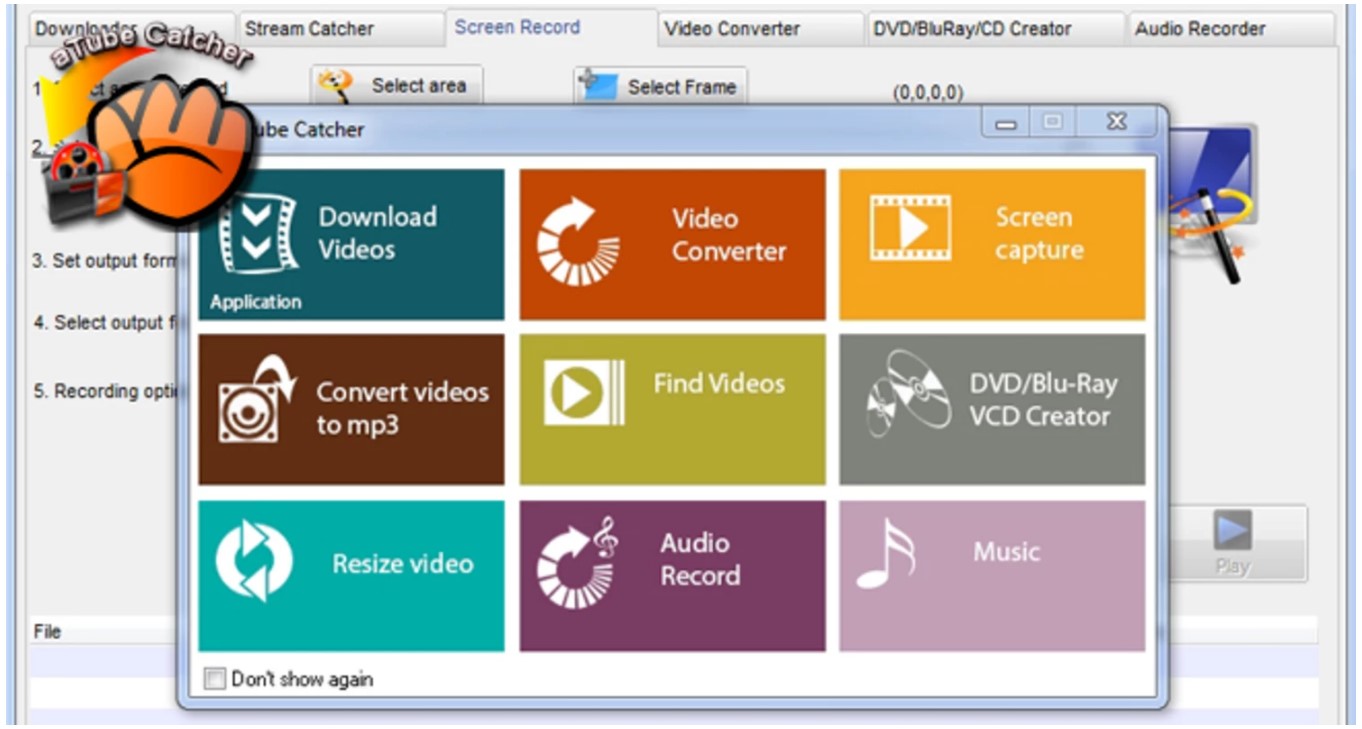
aTube Catcher is like your smart friend who knows how to grab any video you love off YouTube. It’s simple—download, click, and bam, your favorite cat video is on your laptop!
Features (aTube Catcher)aTube Catcher stands out as a top pick for free YouTube downloaders in 2024. Its toolset goes beyond simple downloads. Users can record videos, merge clips, and even burn discs with ease.
This makes it not just versatile but a one-stop solution for various media tasks.
The software supports downloading from multiple video platforms, not just YouTube. So if you’re looking to grab something off Vimeo or Dailymotion, no problem! Plus, converting downloaded videos into different formats is a piece of cake with aTube Catcher.
Whether you need MP4 for your phone or AVI for your desktop, this program has got you covered.
Downloading process with aTube CatcherGrabbing your favorite clips from YouTube just got a whole lot easier with aTube Catcher. This tool is not only about clicking and waiting; it’s about speed, simplicity, and enjoying those videos offline in no time.
Here’s how you do it:
This process lets you stock up on all your fave videos for those low-internet moments or just when you feel like going on a binge-watch marathon without ads interrupting every five minutes. Plus, with support for batch downloads, fill up that watch-later list as fast as your internet connection allows!
ClipGrab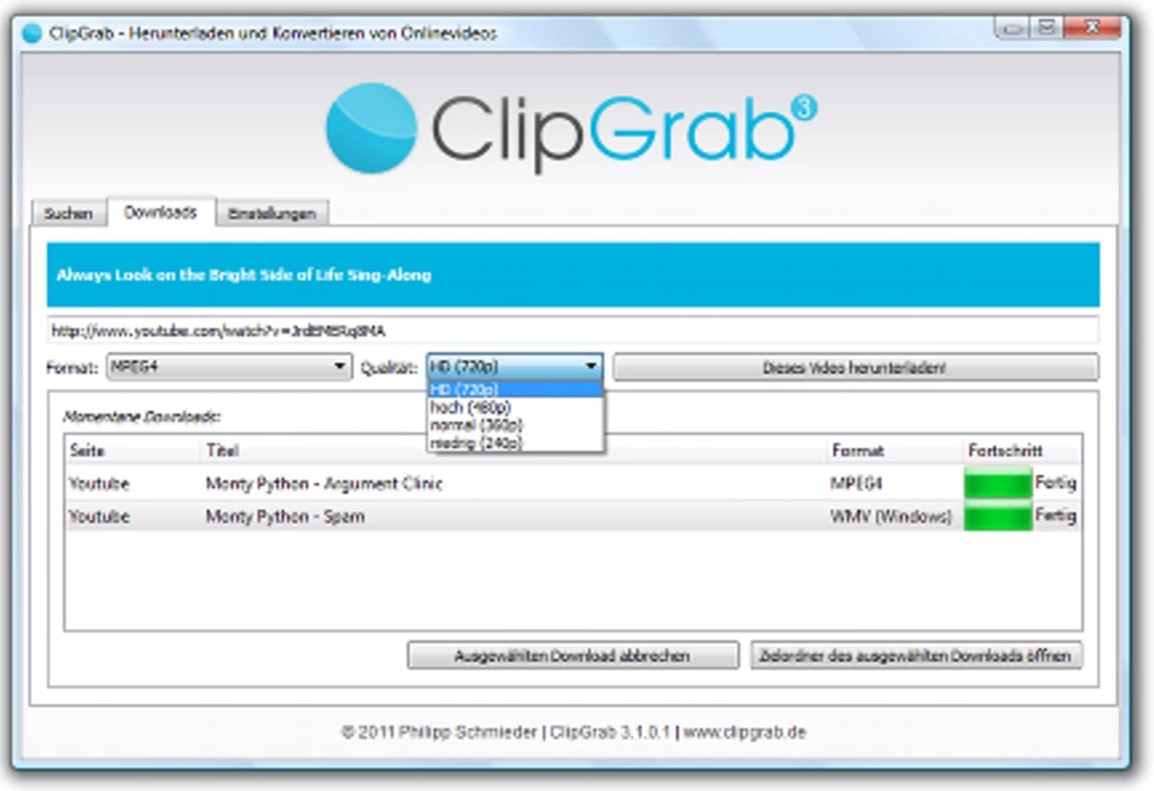
ClipGrab makes grabbing videos from YouTube as easy as pie. Just paste the link, choose your format, and bam – you’re ready to download!
Features (ClipGrab)ClipGrab makes it super easy to get your favorite videos from YouTube, and tons of other sites, onto your computer. It’s a handy tool that doesn’t just stick to YouTube – you can grab videos from websites all over the internet.
What’s cool is that ClipGrab lets you convert these downloads into different formats. So, whether you want to watch on your phone or share with friends, it has you covered. Plus, who can say no to high-quality video downloads? This little app supports up to 8K resolution! That means crystal clear pictures on any screen size.
Another great thing about ClipGrab is its batch download feature. You won’t have to click through each video one by one – just line them up and let ClipGrab do its magic. Saving time and effort? Yes, please! Whether you’re using Windows, Mac or Linux, this app is ready for action.
And with its user-friendly interface, even if you’re not tech-savvy, getting those videos downloaded will be a breeze.
Downloading process with ClipGrabGetting your favorite YouTube videos offline seems tricky, but not with ClipGrab. This tool makes the whole process a breeze for anyone wanting to save their must-watch clips. Here’s how you do it:
In just these few steps, you’ve turned a fleeting online video moment into something you can keep forever – talk about handy! With ClipGrab doing all the heavy lifting, going from YouTube addict to video collector has never been easier.
Why Use a YouTube Video Downloader?Why use a YouTube video downloader? Well, maybe you want to watch videos offline or keep your favorites with you. It’s like making your own playlist that doesn’t need the internet!
Benefits and potential usesUsing a free YouTube downloader lets you keep your favorite videos offline. This means you can watch them anytime, without needing internet. Imagine being on a long flight or in an area with no Wi-Fi.
You’ll still have your videos ready to enjoy. It’s perfect for times when you’re away from home or just want to save data on your mobile plan.
These downloaders also open up the door to building your own video library. From music videos and recipes to how-to guides and funny clips, gather what you love in one place. Some folks use it for work too, like saving webinars or tutorials that help them learn new skills.
Plus, with tools like Any Video Converter Free, you can even edit those downloads into something new – maybe starting a YouTube channel of your own sounds fun?.
Safety Considerations for Using YouTube Video DownloadersKeep in mind the copyright rules while using YouTube video downloaders. You must only download videos that you have the right to keep. This keeps you safe from getting into legal trouble.
Some videos are okay to download, but others are not because they belong to someone else.
Choose a downloader from a site that people think is good. Reading what others say can help you pick a safe tool. Stay away from sites that look strange or ask for too much personal info.
Using respected and well-liked tools makes sure your computer stays free of bad software.
ConclusionSo, we’ve talked a lot about free YouTube downloaders for 2024, right? From the sleek 4K Video Downloader to the all-around champ Any Video Converter Free, you’re set. You know what they do and how to pick one that doesn’t drive you nuts with ads.
And hey, keep in mind those legal bits – don’t get caught on the wrong side of YouTube’s rules. So go ahead, grab your favorite videos offline. Just make sure you’re doing it smart and safe!
| # | Наименование новости | Тональность | Информативность | Дата публикации |
|---|---|---|---|---|
| 1 | 4K Video Downloader Plus vs. Downie: Which Is the Best YouTube Downloader for Mac in 2026? | 0 | 6.86 | 22-09-2026 |
| 2 | Tested: The Best Method I Tried to Remove Browser Extensions in Chrome, Edge, and Firefox | 0 | 9.23 | 17-06-2026 |
| 3 | Stream Super Bowl 2025 Live for Free: Ultimate Viewing Guide | 0 | 10 | 05-02-2025 |
| 4 | Mastering the Zip Command in Linux: A Comprehensive Guide with Examples | 0 | 7.19 | 14-04-2024 |
| 5 | Best GPU for 1440p Gaming in 2025 | 0 | 11.17 | 13-02-2025 |
| 6 | How To Use Control Alt Delete On A Mac: A Comprehensive Guide | 0 | 6.99 | 19-03-2024 |
| 7 | What Is the Best YouTube Subtitle Downloader in 2026? Best Tools Compared | 0 | 9.52 | 24-09-2026 |
| 8 | How to Download a YouTube Live Stream After It Ends | 0 | 22.29 | 29-06-2026 |
| 9 | Best SSDs For PS5 Upgrade: Boost Your Console | 0 | 14.44 | 20-10-2024 |
| 10 | PS5 vs Xbox X: Our compare | 0 | 13.36 | 27-06-2024 |