Просмотр новости
Найдите то, что Вас интересует
 Спутники
 РН
РН SpaceX
 Роскосмос
 NASA
NASA
СпутникиРНSpaceXРоскосмосNASA9to5Mac is brought to you by CleanMyMac by MacPaw. With the release of macOS 27 Golden Gate, use CleanMyMac first to free up space, optimize your system, and ensure your new Mac runs at 100% on day one. Learn more.
macOS 27 Golden Gate is a huge upgrade over macOS 26 Tahoe, and not just because of the smarter design decisions. Just like iOS 27 for iPhone, the Mac adds a Liquid Glass appearance slider. This lets you dramatically change the look of your Mac across the system.
more…
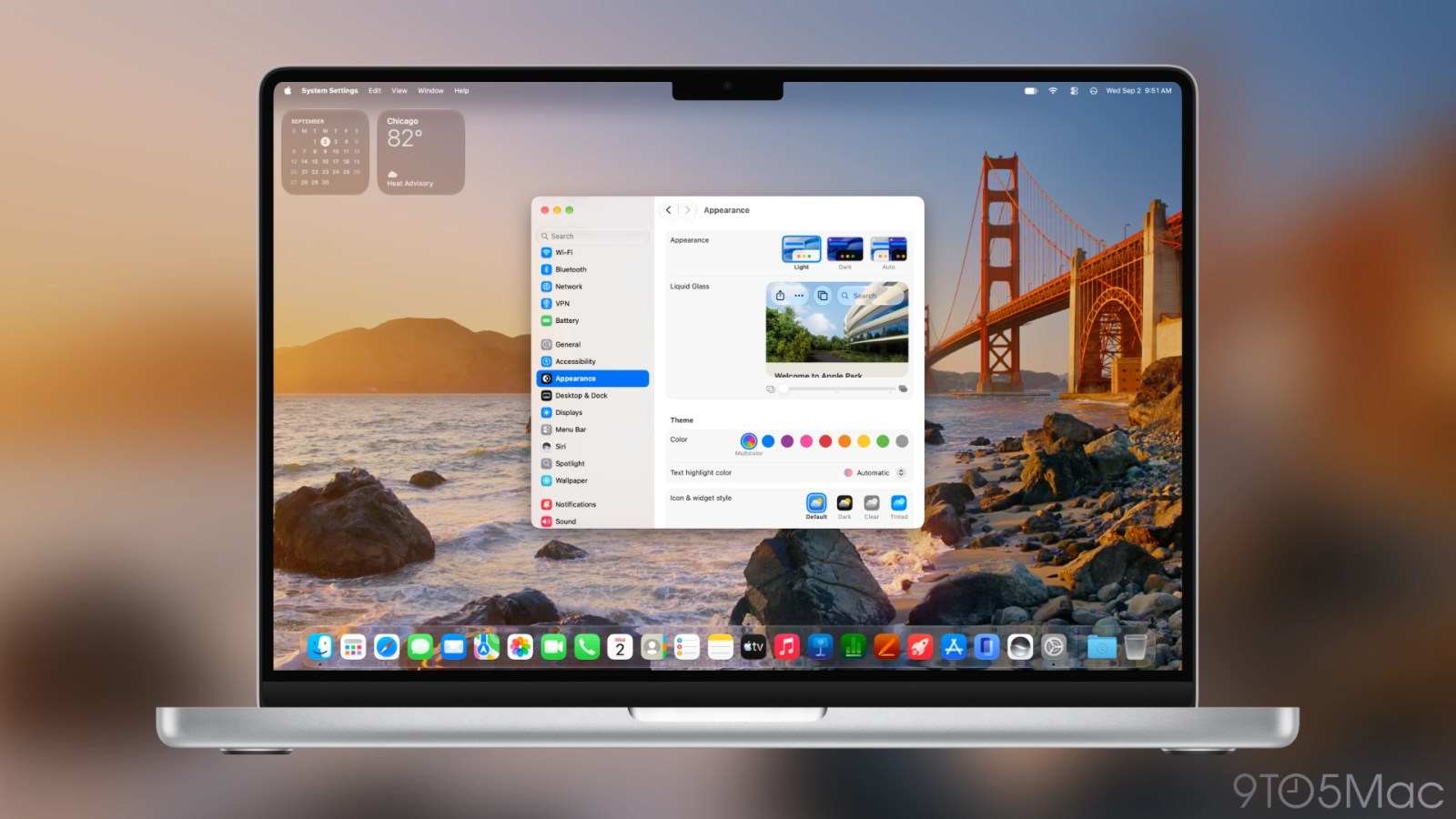
9to5Mac is brought to you by CleanMyMac by MacPaw. With the release of macOS 27 Golden Gate, use CleanMyMac first to free up space, optimize your system, and ensure your new Mac runs at 100% on day one. Learn more.
macOS 27 Golden Gate is a huge upgrade over macOS 26 Tahoe, and not just because of the smarter design decisions. Just like iOS 27 for iPhone, the Mac adds a Liquid Glass appearance slider. This lets you dramatically change the look of your Mac across the system.
The sliderLiquid Glass is Apple’s design language that started with iOS 26 and macOS 26 Tahoe. Initially, Liquid Glass started with a single look. Apple later added a setting to make Liquid Glass less clear.
Starting with iOS 27 and macOS 27 Golden Gate, Liquid Glass is no longer limited to just two styles. Instead, Apple has introduced an appearance slider. This lets you make Liquid Glass much more clear than before. You can also give Liquid Glass a more opaque look that still looks modern.
macOS 27 Golden Gate defaults to a medium setting. The system also invites you to adjust the slider during initial setup. You can also adjust the slider later in System Settings > Appearance.
The Liquid Glass slider provides a live preview of what to expect from each setting. Three notches suggest most clear, medium, and most opaque. However, you can assign it to any level in between notches as well.
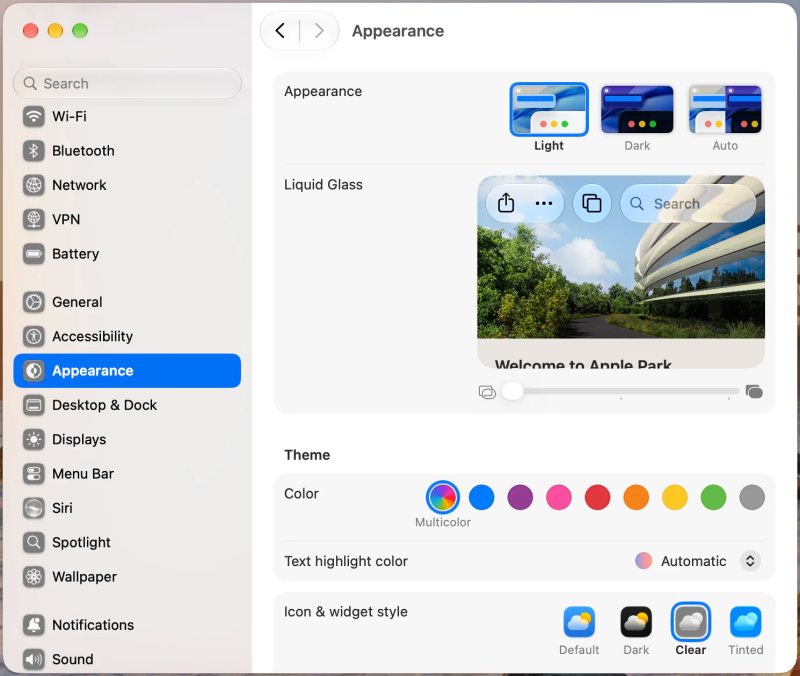
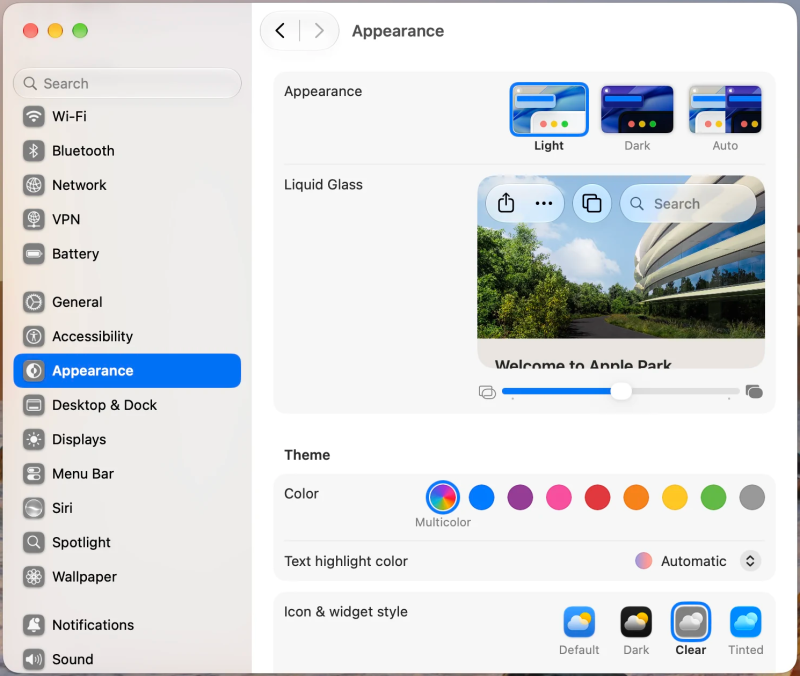
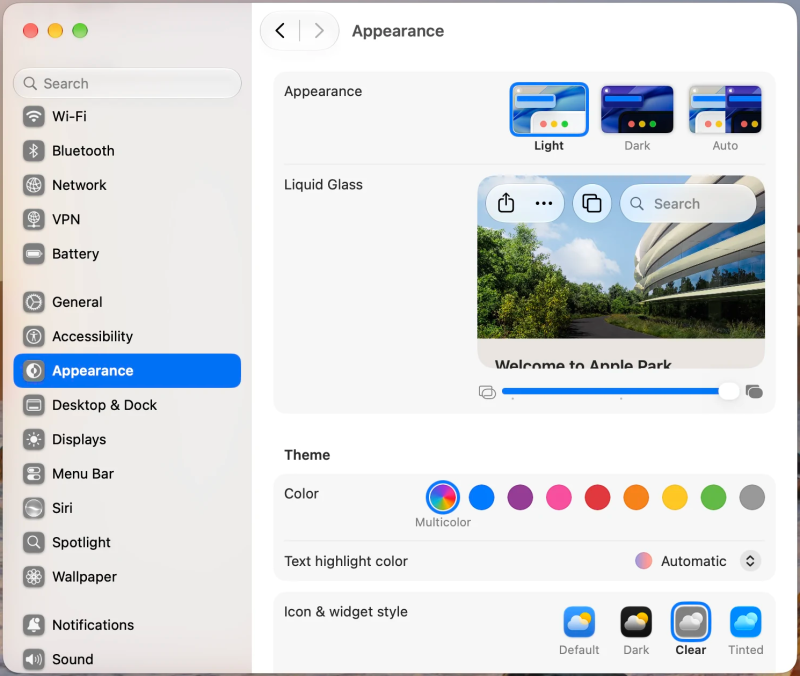 The Dock
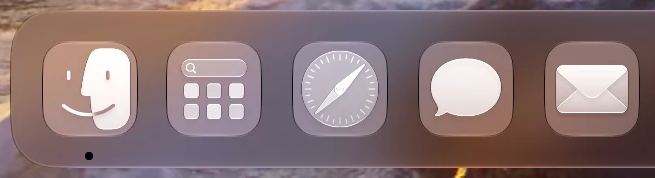
The Dock is the most prominent component that changes appearance based on the Liquid Glass slider setting.



It can range from showing your desktop wallpaper in clear definition to being a more opaque and defined material.
Here’s a closer look:



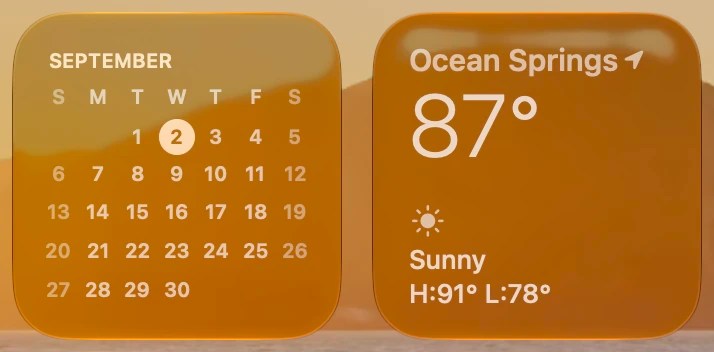
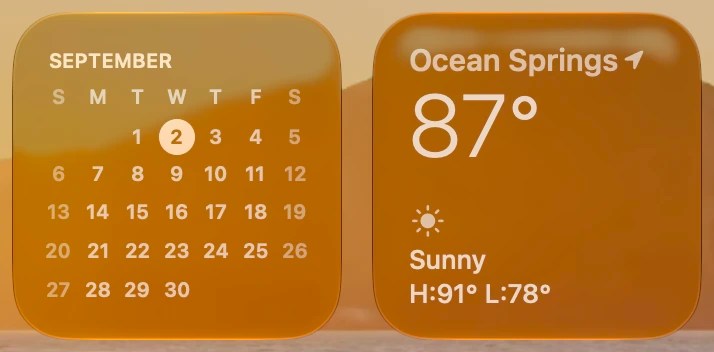
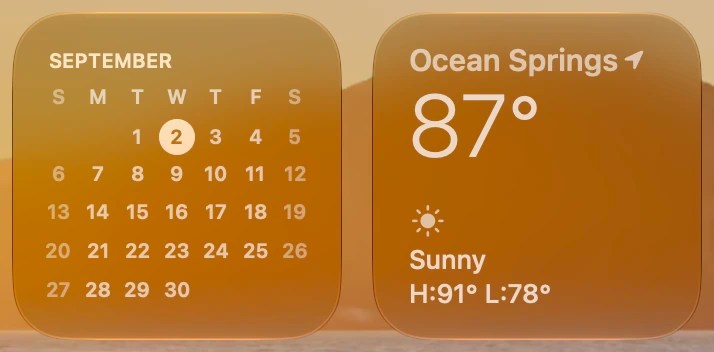
macOS desktop widgets can be full color, dim, or change automatically. The Liquid Glass slider changes how the dim widget appearance looks as well.
 Apple Music and Podcasts
Apps like Apple Music and Podcasts that have system Now Playing bars have a very different look based on the Liquid Glass slider position.
Here’s the Now Playing bar Podcasts, for example:



And here’s Music:


 More
MoreThe slider also applies to sidebars, toolbars, and toolbar buttons. This changes the look of Photos, Safari, and other apps with window chrome.
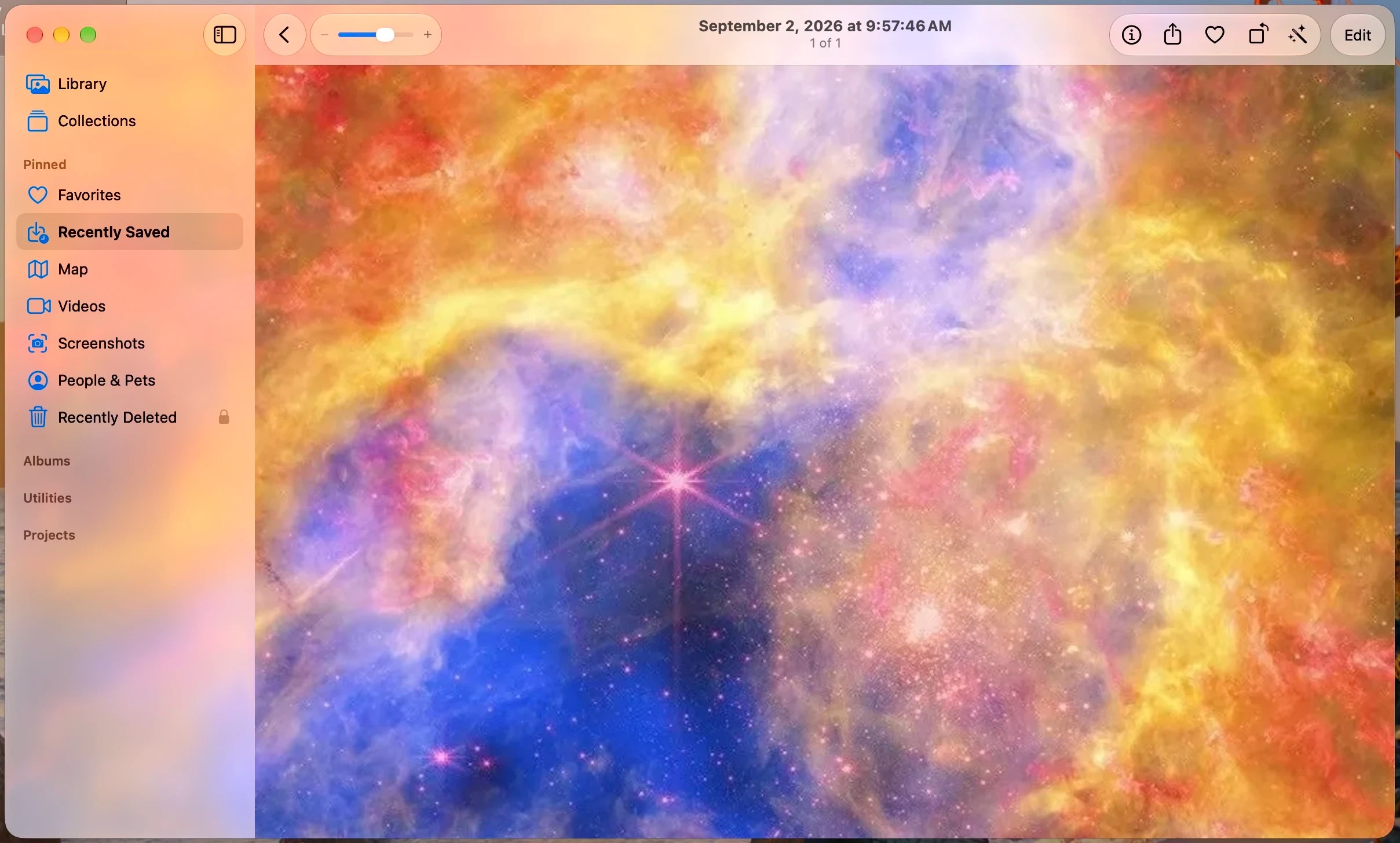
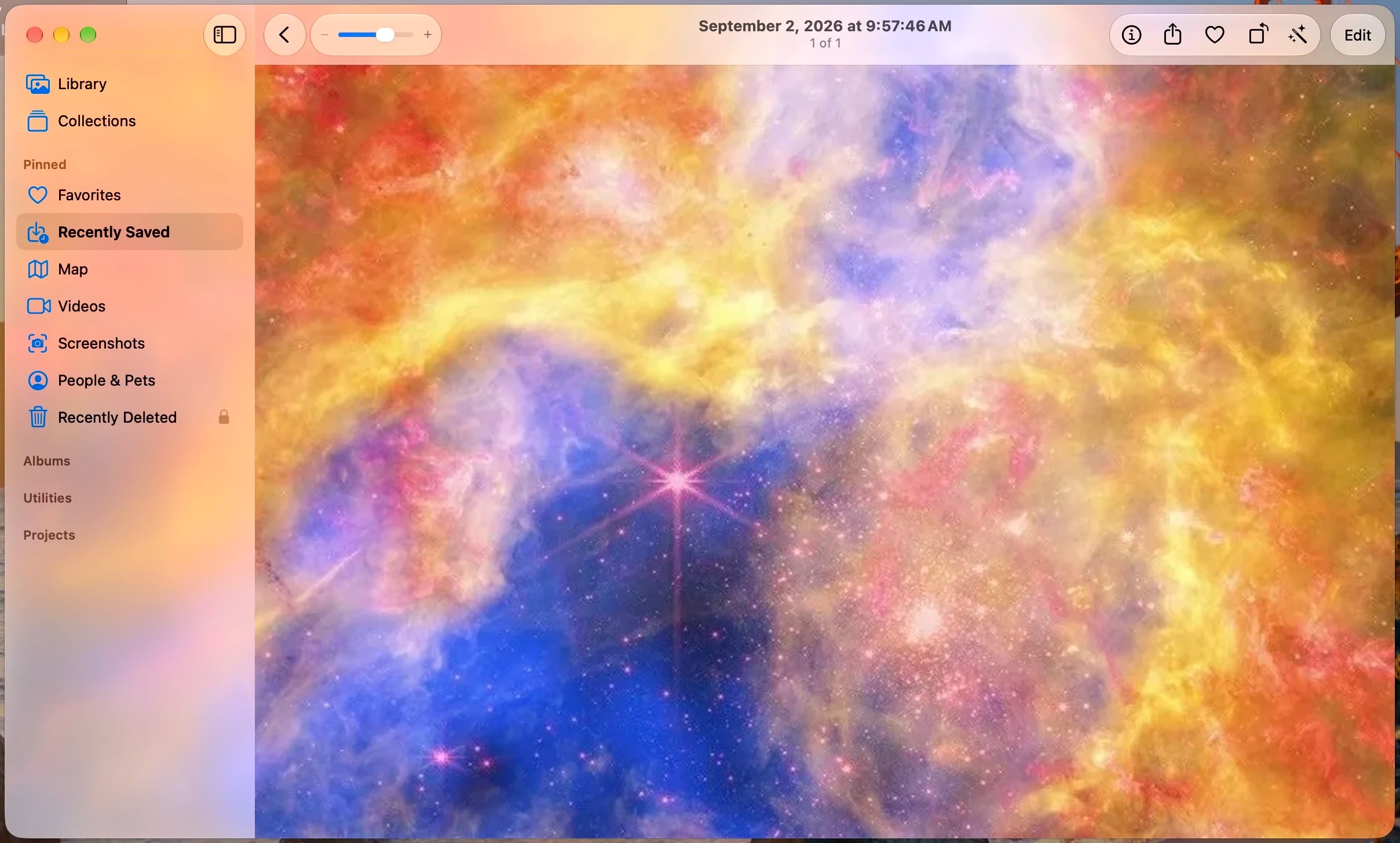
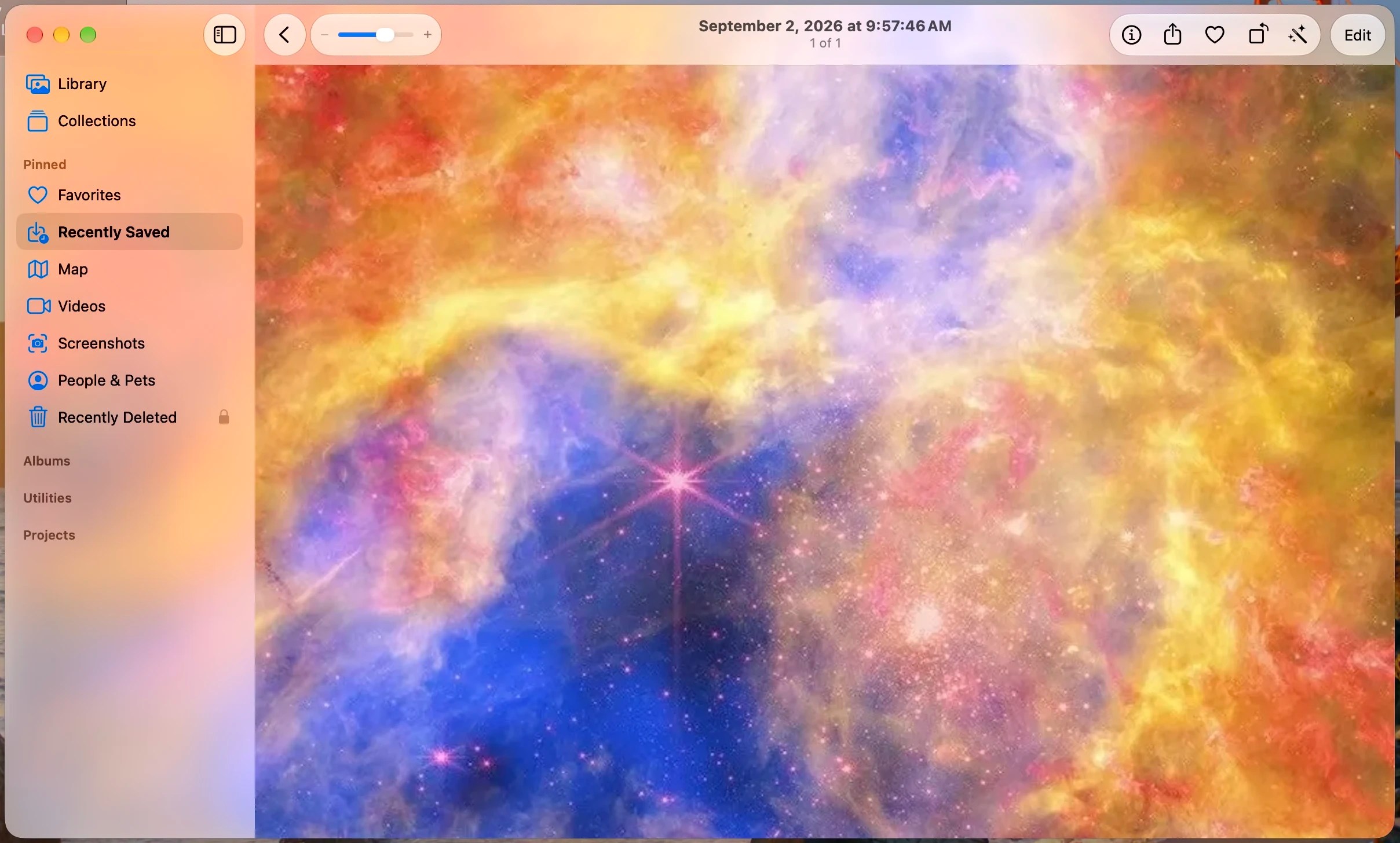
The one thing about the Liquid Glass slider in macOS 27 Golden Gate is that a single slider controls all Liquid Glass appearances across the system. That means you get one look for the Dock, widgets, and window chrome.


What’s your preference? More clear, more opaque, or somewhere in the middle? Personally, I really love how nice and mature the more opaque option looks on my Mac. Still, it can be fun to experiment with more clear, and I’m glad macOS 27 Golden Gate gives everyone the option to decide.
Share your thoughts in the comments!
9to5Mac is brought to you by CleanMyMac by MacPaw. With the release of macOS 27 Golden Gate, use CleanMyMac first to free up space, optimize your system, and ensure your new Mac runs at 100% on day one. Learn more.


FTC: We use income earning auto affiliate links. More.

| # | Наименование новости | Тональность | Информативность | Дата публикации |
|---|---|---|---|---|
| 1 | macOS 27 Golden Gate includes these changes that Tahoe critics will appreciate | 0 | 13.55 | 09-06-2026 |
| 2 | Report: macOS 27 to feature UI tweaks to address some Tahoe design complaints | 0 | 8.09 | 10-05-2026 |
| 3 | macOS 27 Golden Gate adds these new wallpapers and screen savers to your Mac | 0 | 16.73 | 06-07-2026 |
| 4 | macOS 27: What’s new for the Photos app? | 0 | 11.86 | 17-09-2026 |
| 5 | No Liquid Glass slider for Apple Watch, but here’s how watchOS 27 design changes | 0 | 9.95 | 16-06-2026 |
| 6 | macOS Beta: Golden Gate Public Beta 4 now available | 0 | 13.88 | 17-08-2026 |
| 7 | В macOS 27 Golden Gate исправили интерфейсные ошибки прошлой версии ОС | 0 | 5 | 09-06-2026 |
| 8 | Several things I like about macOS 27 Golden Gate that have nothing to do with AI | 2 | 3 | 11-06-2026 |
| 9 | Apple Announces macOS 27 Golden Gate, Dropping Intel Mac Support and Introducing Gemini-Powered Siri AI | 0 | 8.87 | 09-06-2026 |